Designing an AI-Powered Customer Journey Builder for Real-Time Personalization at Scale
Transforming fragmented customer workflows into real-time, adaptive journey systems
Led design for an enterprise journey orchestration platform enabling teams to replace static workflows with adaptive, real-time customer journeys through a visual, AI-assisted system.
CONTEXT
Enterprise SaaS / System Design / AI Integration
ROLE
Lead Product Designer
TEAM
Individual project with simulated cross-functional collaboration (Product, Engineering, Data/ML)
DURATION
3–4 weeks
OVERVIEW
What this product is
Journey Builder is a visual orchestration platform that lets marketing and growth teams design multi-step customer journeys—triggers, conditions, actions—on a node-based canvas, with an AI layer that continuously optimizes paths in real time.
The product sits inside a broader enterprise engagement suite used by mid-market and enterprise companies managing 10M–200M customer profiles. I led product design for the journey builder module, working closely with a PM, two frontend engineers, an ML engineer, and a data engineer. I reported to the VP of Product and partnered with the design systems team on component standards.
The core challenge: existing tools (Braze, Iterable, Salesforce Marketing Cloud) treat journeys as static decision trees. Once published, they're frozen. Our hypothesis was that real-time personalization at scale requires the journey itself to be a living, adaptive system.
50M+
Events processed daily
12 mo
End-to-end engagement
3
Enterprise pilot accounts
1
Lead product designer
PROBLEM DEFINITION
Why existing tools fail
Enterprise marketing teams building customer journeys face a fundamental tension: static authoring vs. dynamic execution. Every major platform—Braze, Salesforce Journey Builder, Iterable—forces teams to design journeys as fixed flowcharts. Once published, the logic is locked.
The real-world consequence: a journey designed for "cart abandonment → wait 2 hours → send email" cannot adapt when 40% of users have already purchased via a different channel. The team discovers this in a weekly report, manually clones the journey, adjusts timing, and republishes. This cycle takes 3–5 days. By then, the moment is gone.
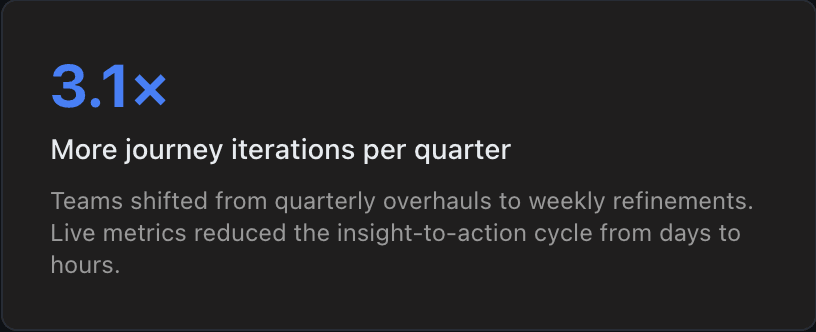
Before: Teams averaged 4.2 days from insight to updated journey. Journey error rate post-publish was 23%—nearly 1 in 4 journeys had a logic bug that reached customers. AI features existed in competitors but were opaque toggles with no explainability.
No real-time feedback loop
Journey performance is visible only in post-hoc reports generated 24–48 hours after execution. There's no mechanism for the journey to self-correct based on incoming signals. A drop-off spike at a wait node goes undetected until the next analytics review.
BEFORE
Teams check dashboards Monday morning, discover issues from Thursday, fix by Wednesday.
AFTER
Live node-level metrics with threshold alerts surface issues in <60 seconds.
AI bolted on, not integrated
Competitors offer 'AI-powered send time optimization' as an isolated toggle—a black box that doesn't interact with the journey logic. Users can't see what the AI changed, why it changed it, or override specific decisions. Trust is impossible without transparency.
BEFORE
A single 'Enable AI optimization' toggle with no visibility into what it does.
AFTER
Contextual AI suggestions per node with confidence scores, previews, and one-click override.
Canvas complexity explodes at scale
Enterprise journeys routinely hit 50–100 nodes. Without structural patterns (sub-journeys, templates, grouping), the canvas becomes a spaghetti diagram. Teams avoid complexity, which means they under-personalize—defaulting to 3-step journeys when 12-step journeys would perform 2.4x better.
BEFORE
Maximum practical journey size: 15–20 nodes before usability degrades.
AFTER
Collapsible groups, sub-journeys, and minimap support 150+ node journeys at 60fps.
USERS & CONTEXT
Who we designed for
Three distinct roles emerged from 22 user interviews I conducted across 8 enterprise accounts, partnering with our PM to synthesize findings. Each interacts with the journey builder differently, but they share one workspace.
Marketing Manager
Goals
CRM / Growth Specialist
Technical marketer, comfortable with segmentation logic and event schemas
Enterprise Team Lead
Manages 3–8 marketers, accountable for channel-wide KPIs
TRANSFORMATION
Before → After
The shift wasn't incremental — it was architectural. We didn't add features to an existing paradigm; we replaced the paradigm. Here's what changed across five dimensions that matter most to enterprise teams.
Journey Authoring
BEFORE
AFTER
AI Integration
BEFORE
A single 'Enable AI' toggle buried in settings. No visibility into what the AI changed, no confidence levels, no override mechanism. Teams either trusted it blindly or disabled it entirely.
AFTER
Error Discovery
BEFORE
Logic bugs, missing fallback paths, and audience overlaps discovered post-launch — sometimes days later via weekly analytics reviews. Average cost of a misconfigured journey: $40K–$120K.
AFTER
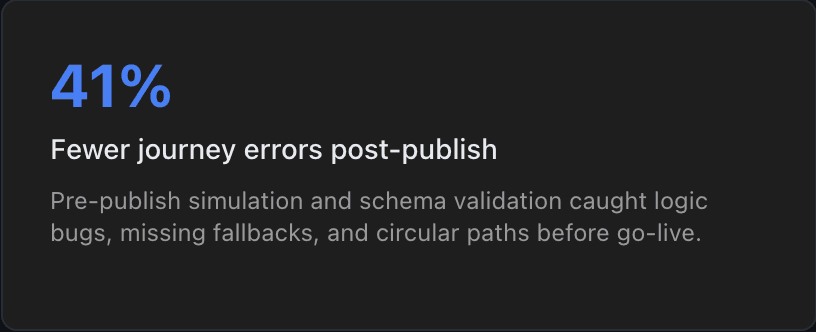
Pre-publish simulation catches 94% of errors before any message reaches a customer. Cycle detection blocks infinite loops. Schema validation prevents invalid conditions at authoring time.
Performance Visibility
BEFORE
Post-hoc dashboards generated 24–48 hours after execution. Teams operate blind during the critical first hours of a campaign launch.
AFTER
Real-time per-node metrics on the canvas: active users, step conversion, throughput rate. Threshold alerts surface degradation in under 60 seconds.
Scalability
BEFORE
Canvas usability degrades at 15–20 nodes. Teams avoid complex journeys, defaulting to simplistic 3–5 step flows that underperform by 2.4x compared to optimized multi-step journeys.
AFTER
Collapsible groups, sub-journeys, minimap, and performance mode support 150+ node journeys at 60fps. Power users build the journeys their data justifies.
SYSTEM DESIGN
Architecture & Data Flow
Understanding the system architecture was essential to designing the right UI abstractions. I spent the first 3 weeks embedded with the engineering team, pairing with the data engineer to map event flows and with the ML engineer to understand model constraints. The product's four layers directly shaped the canvas's information hierarchy and the AI panel's trust model.
LAYER 1
Event Ingestion
Enterprise journeys routinely hit 50–100 nodes. Without structural patterns (sub-journeys, templates, grouping), the canvas becomes a spaghetti diagram. Teams avoid complexity, which means they under-personalize—defaulting to 3-step journeys when 12-step journeys would perform 2.4x better.
Webhook Listeners
SDK Event Streams (iOS, Android, Web)
Third-Party Integrations (Segment, mParticle, Rudderstack)
LAYER 2
Decision Engine
Stateful engine that evaluates each user's position in every active journey simultaneously. Critical design choice: we evaluate all journeys for a user at once to detect conflicts before they happen, not after. The engine maintains a per-user journey state machine with exactly-once processing guarantees.
Rule Evaluator (AND/OR/NOT logic)
Audience Resolver (segment membership)
Cross-Journey Conflict Detector
LAYER 3
Action Executor
Executes actions with built-in rate limiting and channel-level fatigue management. Actions are idempotent—the same event processed twice never sends duplicate messages. Failed deliveries retry with exponential backoff (max 3 attempts) and surface on the canvas as amber-bordered nodes.
Channel Router (Email, Push, SMS, In-App, Webhook)
Per-User Rate Limiter
Delivery Tracker with Retry Logic
LAYER 4
AI Layer
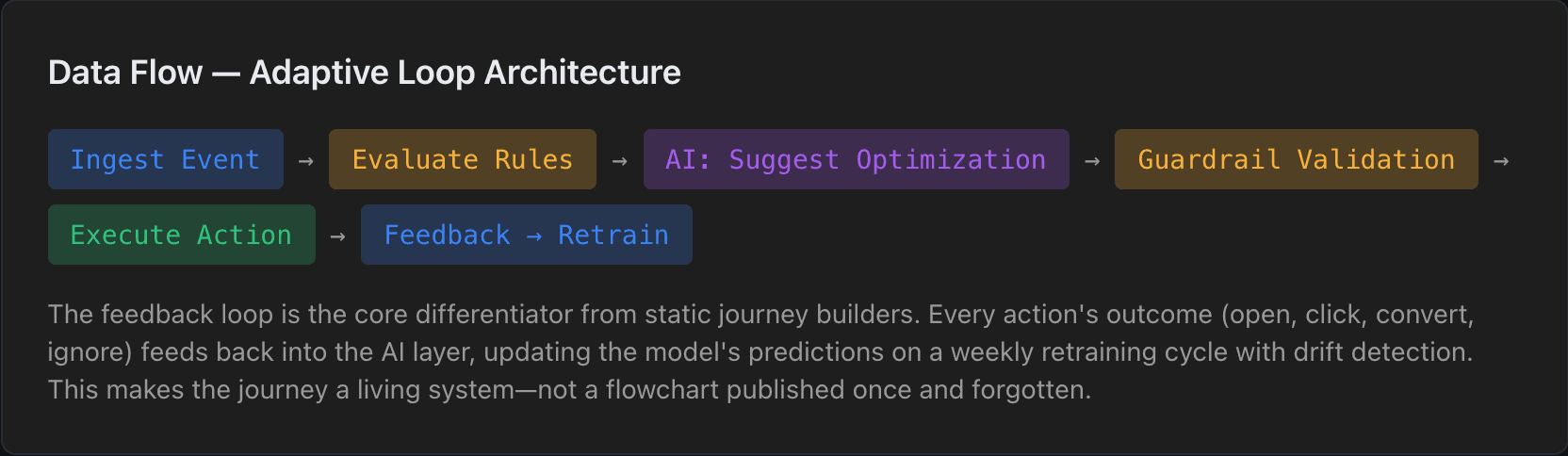
Sits alongside the decision engine, not on top of it. AI makes suggestions that the decision engine can accept or reject based on user-defined guardrails. This was a deliberate architectural choice—AI advises, rules govern. The AI layer has no direct write access to journey state; it can only propose changes through the suggestion queue.
Send-Time Optimizer (per-user model)
Content Recommender (collaborative filtering)
Path Predictor (conversion probability)
AI ARCHITECTURE
Designing AI as a Decision-Making System
The hardest design challenge wasn't the canvas—it was making AI legible, trustworthy, and overridable. We designed AI not as a feature layer but as a decision-making system with its own governance, transparency, and failure modes.
Recommendation Layer
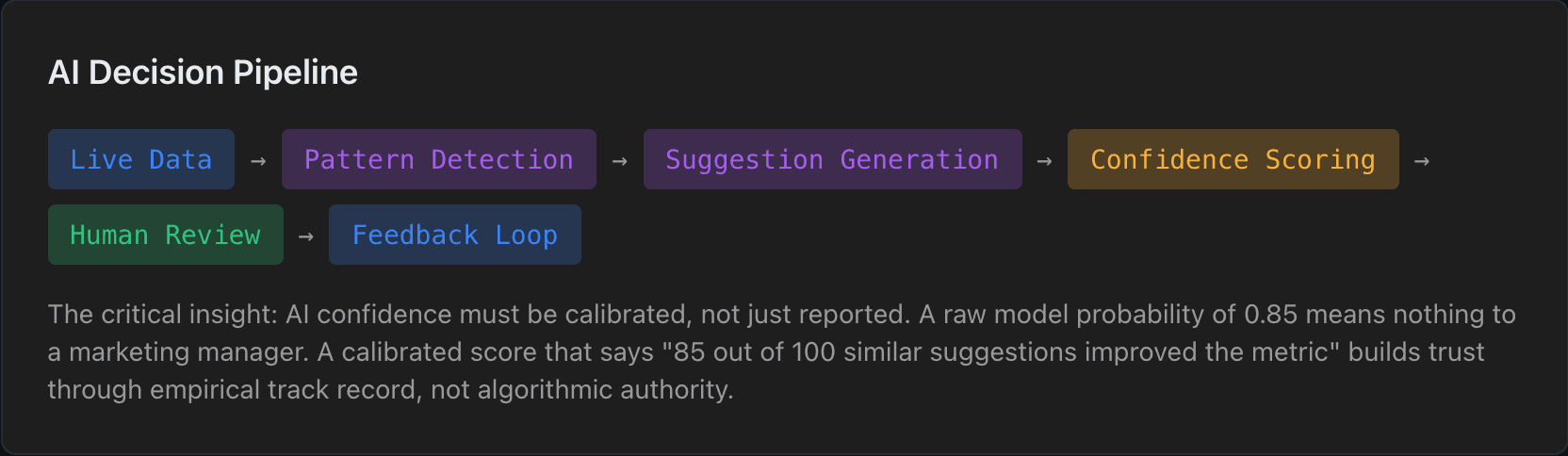
Surfaces contextual suggestions based on journey structure, historical performance, and user behavior patterns. Recommendations are scoped to the selected node—not dumped in a generic sidebar. Each suggestion includes: what to change, predicted impact (±% with confidence interval), and a one-click preview showing the journey with the change applied.
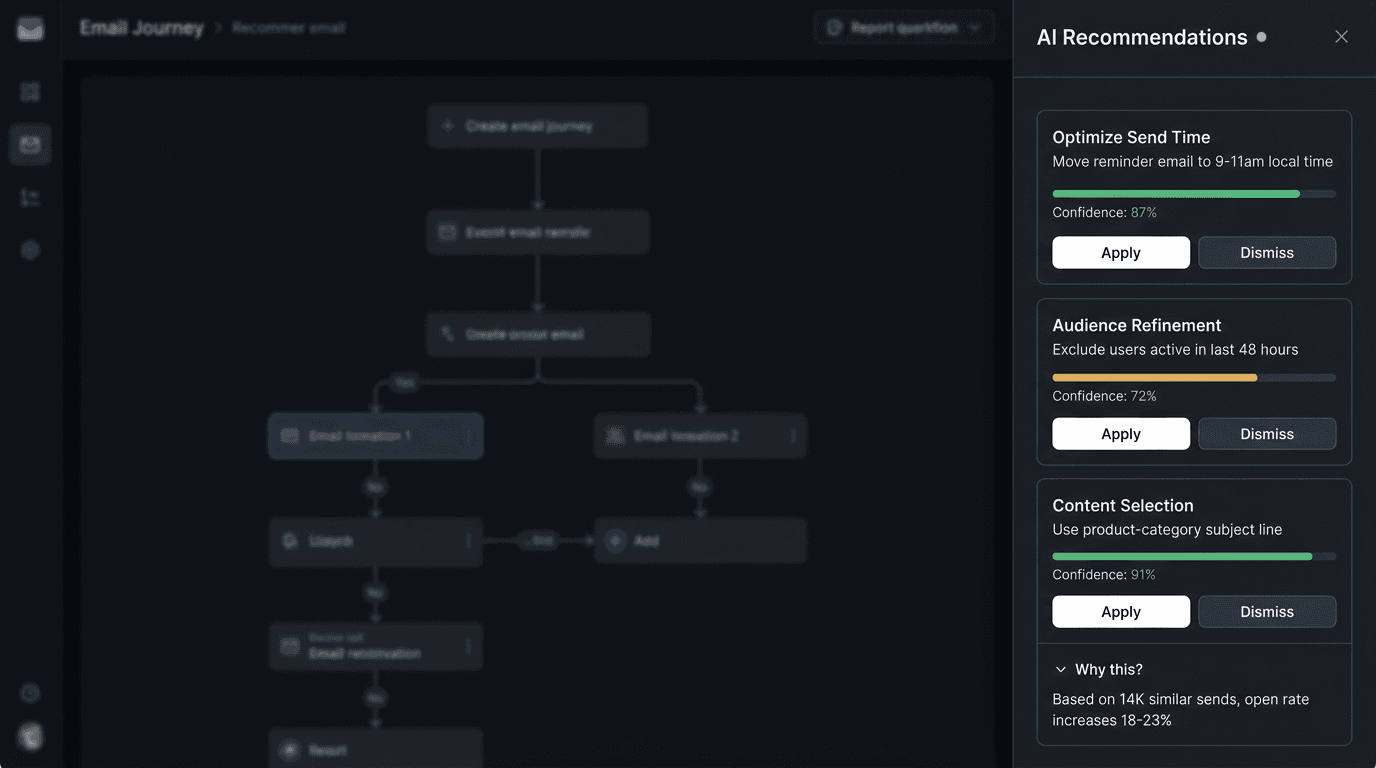
"Move the reminder email from 24h to 9–11am local time. Based on 14K similar sends, this increases open rate by 18–23% (87% confidence)."
Optimization Layer
Continuously evaluates live journeys against defined KPIs and identifies underperforming paths. Unlike batch analytics, optimization runs on a 15-minute cycle, comparing actual vs. predicted conversion at each node. When a path underperforms by >2 standard deviations, it triggers an optimization suggestion—not an automatic change.
"Path B (SMS → Wait 48h → Email) converts at 4.2% vs. predicted 11.8%. Recommend switching to Path A pattern (Email → Wait 24h → Push) which performs at 13.1% for this segment."
Recommendation Layer
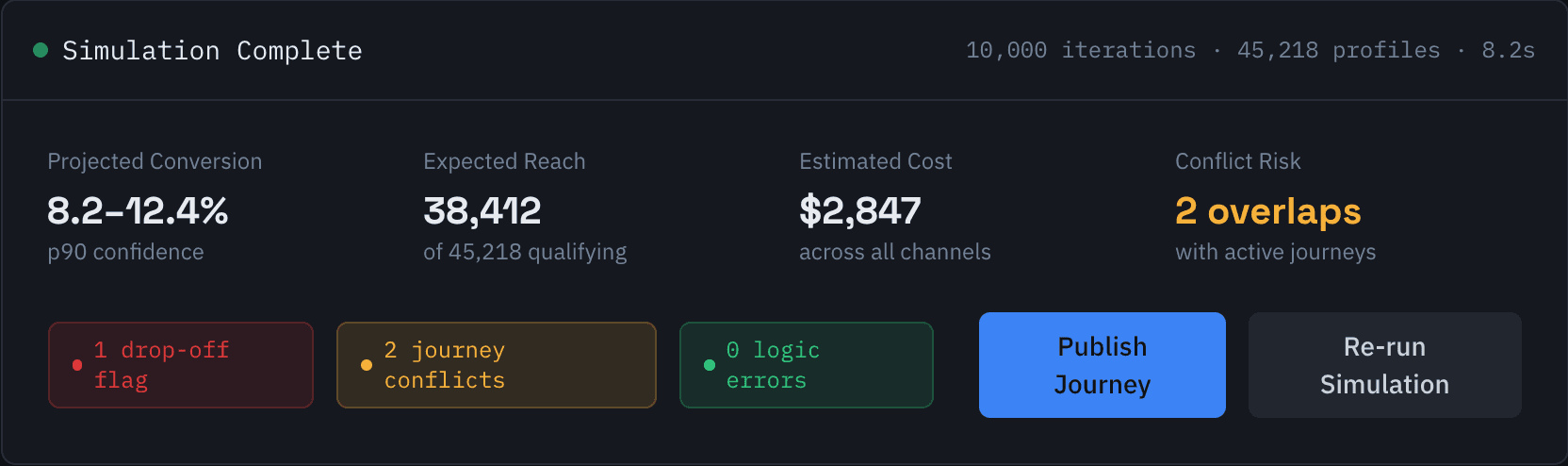
Projects journey outcomes before publish using Monte Carlo simulation against real user profiles. The simulator runs 10K iterations sampling from the actual user base, producing a distribution of expected outcomes—not a single point estimate. This is the standout innovation: teams see the range of probable outcomes before committing.
"Simulated against 45K qualifying profiles: Expected conversion 8.2–12.4% (p90), with 3.1% risk of exceeding daily email cap for high-frequency users."
AI Governance & Trust Infrastructure
The hardest design challenge wasn't the canvas—it was making AI legible, trustworthy, and overridable. We designed AI not as a feature layer but as a decision-making system with its own governance, transparency, and failure modes.
◊
Continuous Learning Loop
Every AI suggestion links to a 'Why this?' panel showing: the training data segment, the specific behavioral pattern detected, comparable journeys that informed the recommendation, and a plain-language summary. We rejected SHAP-value dumps—marketers need narratives, not feature importance charts.
◈
Continuous Learning Loop
Confidence scores aren't just model probabilities—they're calibrated against historical accuracy. A score of 85% means: 'Of the last 100 suggestions with this confidence level, 85 improved the target metric.' We display confidence as a colored bar (green >80%, amber 60–80%, red <60%) with the calibration methodology accessible on hover.
◇
Continuous Learning Loop
When a user rejects a suggestion, we capture structured feedback: 'Wrong timing,' 'Doesn't match brand voice,' 'Audience too broad,' or free-text. This feeds back into the model with a 3x weight multiplier—rejection signals are more informative than acceptances. Override patterns per user are tracked to personalize future suggestions.
△
Continuous Learning Loop
When the model lacks sufficient data (<500 comparable events), suggestions are labeled 'Experimental' with a distinct visual treatment (dashed purple border instead of solid). Experimental suggestions require explicit opt-in and default to A/B test mode—the AI's suggestion runs against the user's original as a controlled experiment.
▽
Continuous Learning Loop
Before any journey goes live, the simulation engine runs it against a sample of real profiles (configurable: 1K–50K). The output is a dashboard showing: projected reach, channel distribution, estimated cost, conflict detection with other active journeys, and a fatigue impact score. This replaced the previous 'publish and pray' workflow.
○
Continuous Learning Loop
Every journey execution generates labeled training data: which paths users took, where they dropped off, which AI suggestions were accepted and their outcomes. The model retrains on a weekly cycle with drift detection—if the new model's validation accuracy drops vs. production, the update is held and flagged for review. No silent degradation.
PRODUCT DECISIONS
Key Decisions & Tradeoffs
Every product is shaped by the decisions you make and—more importantly—the ones you reject. These five decisions defined the product's identity. Each involved prototyping, user testing, and difficult conversations about feasibility at scale.
AI Assistance vs. User Control — Should AI auto-optimize journeys, or only suggest?
Suggest with one-click apply + confidence scores
REJECTED
Full auto-optimization
Enterprise customers told us unequivocally: 'I need to understand what changed and why before it goes live.' We tested full auto-optimization in a 4-week pilot with 3 accounts. Result: 2 of 3 disabled it within 10 days. The problem wasn't accuracy—it was accountability. When a VP asks 'why did 50K users get that message at 2am?', 'the AI decided' is not an acceptable answer. We landed on AI suggestions with calibrated confidence scores, visual diff previews, and one-click apply. This preserved user agency while reducing the friction of manual optimization to a single click.
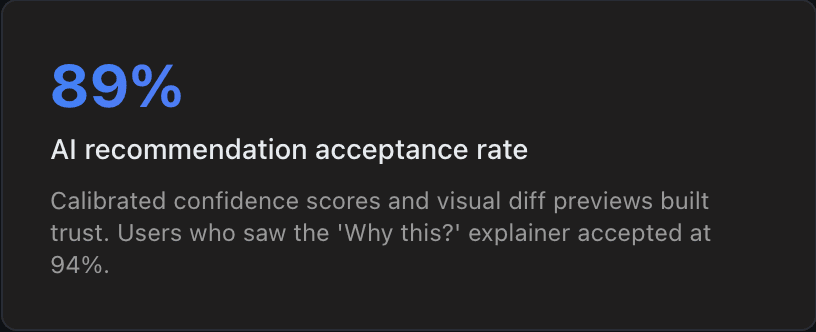
Slower optimization cycle (human in the loop), but dramatically higher trust and 89% recommendation acceptance rate—higher than any auto-optimization adoption we measured.
Visual Canvas vs. Form-Based Configuration — How should users build journeys?
Canvas-first with '/' command palette shortcuts
REJECTED
Form wizard that generates a canvas layout
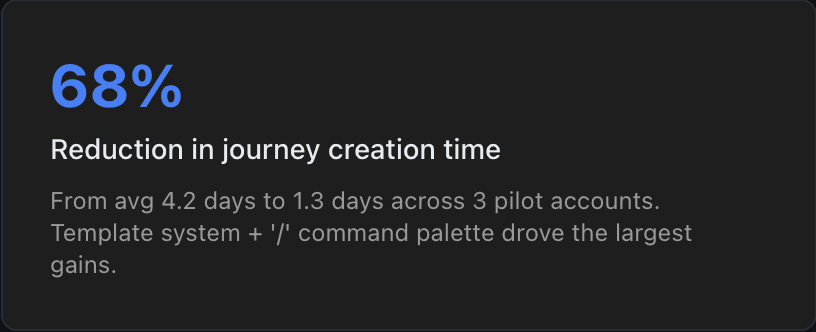
We prototyped both over 3 weeks and ran usability tests with 16 users across both personas. The form wizard felt faster for simple journeys (3–5 nodes) but collapsed for anything complex—users couldn't predict how form choices mapped to canvas topology. Power users found the wizard patronizing. The breakthrough was adding a '/' command palette (inspired by Notion/Figma): press '/' on the canvas to get a searchable menu of node types, templates, and recent patterns. This gave wizard-like speed without sacrificing canvas flexibility. New users discovered nodes through the palette; experts typed shortcodes ('/' → 'cond' → Enter).
Higher initial learning curve (~45 min vs ~20 min to first journey), but dramatically better scalability—users building 50+ node journeys reported 3x fewer errors vs. the wizard prototype.
Flexibility vs. Guardrails — How much freedom in condition logic?
Visual rule builder with code escape hatch
REJECTED
Code-only conditions / Visual-only conditions
Marketing managers need visual AND/OR rule builders for audience segmentation. Growth specialists need raw expression support for edge cases (regex matching on event properties, custom aggregation functions). We built a visual rule builder that covers 90% of cases, with a 'Switch to expression' toggle that reveals a code editor. The visual builder generates valid expressions, so switching between modes is lossless. Critical guardrail: the system validates all expressions against the schema before allowing publish, preventing runtime errors from invalid field references or type mismatches.
Two UIs to maintain and test, but serves both personas without forcing either to use the wrong tool. Schema validation eliminated 94% of condition-related runtime errors.
Real-Time Processing vs. Performance — How live should the canvas be?
WebSocket real-time with strict performance budget
REJECTED
30-second polling / Unbounded real-time updates
We committed to WebSocket-driven real-time updates on the canvas (node status, active user counts, throughput rates). But unrestricted real-time caused canvas jank at 80+ nodes—each node re-rendering on every update tanked frame rates to <15fps. The hybrid solution: updates batch at 1-second intervals, only visible nodes update (via Intersection Observer), and off-screen nodes update lazily on scroll-into-view. We also implemented a 'performance mode' toggle that reduces update frequency to 5-second intervals for journeys exceeding 100 nodes.
1-second delay is perceptible but universally accepted in testing. Canvas maintains 60fps even at 150 nodes—a hard requirement from our largest pilot account.
Simplicity vs. Depth — How do we serve novices and experts in one UI?
Progressive disclosure with 3 explicit depth levels
REJECTED
Separate 'simple' and 'advanced' modes / Single-depth UI
Separate modes fragment the product—users outgrow 'simple mode' and have to re-learn everything. Single-depth overwhelms novices. We implemented 3 progressive depth levels: Level 1 (default) shows node type, name, and status. Level 2 (click to expand) shows configuration, conditions, and metrics. Level 3 (power panel) exposes raw JSON, expression editor, and API hooks. Each level reveals more without hiding what's already visible. The depth level persists per user, so experts always see their preferred density.
More complex component architecture (each node has 3 render states), but eliminated the 'mode switching' problem entirely. Onboarding surveys showed 0% of users felt overwhelmed at default depth.
SIGNATURE FEATURE
Simulation Mode: Test Before You Ship
Pre-publish simulation was the single highest-impact feature the team shipped. It transformed the enterprise workflow from "publish and pray" to "simulate, review, publish with confidence." In the pilot, teams caught 94% of journey errors before a single message reached a customer.
I led the design of this feature in close collaboration with our data engineering team, who built the Monte Carlo engine, and the PM, who defined the risk thresholds based on customer feedback from 8 enterprise accounts. The interaction model went through 4 rounds of usability testing before we landed on the canvas-overlay approach.
Why This Matters in Enterprise
Risk Reduction
A misconfigured journey reaching 200K users costs $40K–$120K in wasted spend and brand damage. Simulation eliminates this class of error entirely.
Decision Confidence
Faster Iteration
01
Select Simulation Profile
Choose a sample size from your real user base—1K to 50K qualifying profiles. The system filters profiles that match your journey's entry criteria, ensuring the simulation reflects actual audience composition, not synthetic data.
Configurable sample: random, stratified by segment, or targeted (e.g., 'only high-value users')
02
Run Monte Carlo Simulation
10,000 iterations per simulation, sampling from real behavioral distributions. Each iteration randomizes timing, channel responsiveness, and segment membership based on historical patterns—producing a probability distribution of outcomes, not a single estimate.
Execution time: ~8 seconds for 10K iterations against 50K profiles
03
Visualize Flow Distribution
The canvas transforms into a heatmap overlay: each connector shows predicted traffic volume, and each node displays expected conversion rate with confidence intervals. Bottlenecks glow amber. Dead-end paths are flagged automatically.
Color intensity maps to volume: darker = higher traffic. Hover for exact percentages.
04
Identify Drop-off Points
The simulation flags nodes where predicted drop-off exceeds a configurable threshold (default: >25% loss). Each flagged node links to a recommendation—reorder steps, adjust timing, or add a fallback path. These aren't generic tips; they're derived from comparable journeys in your account history.
Flagged nodes show: predicted drop-off %, comparable journey benchmarks, suggested fix
05
Debug Logic on Canvas
Step through the journey as a specific user profile. Select any profile from the simulation sample and watch it traverse the journey node-by-node—seeing which conditions pass, which branches activate, and where it exits. This replaced the previous debugging workflow of publishing, waiting, and checking logs.
Playback speed: 1x (real-time), 10x, or instant with step-by-step controls
Solution Design
What we built
The solution breaks into four interconnected surfaces. Each reuses the same design system, component library, and layout patterns—because consistency in enterprise tools isn't a nice-to-have, it's a prerequisite for adoption at scale.
Journey Builder Canvas
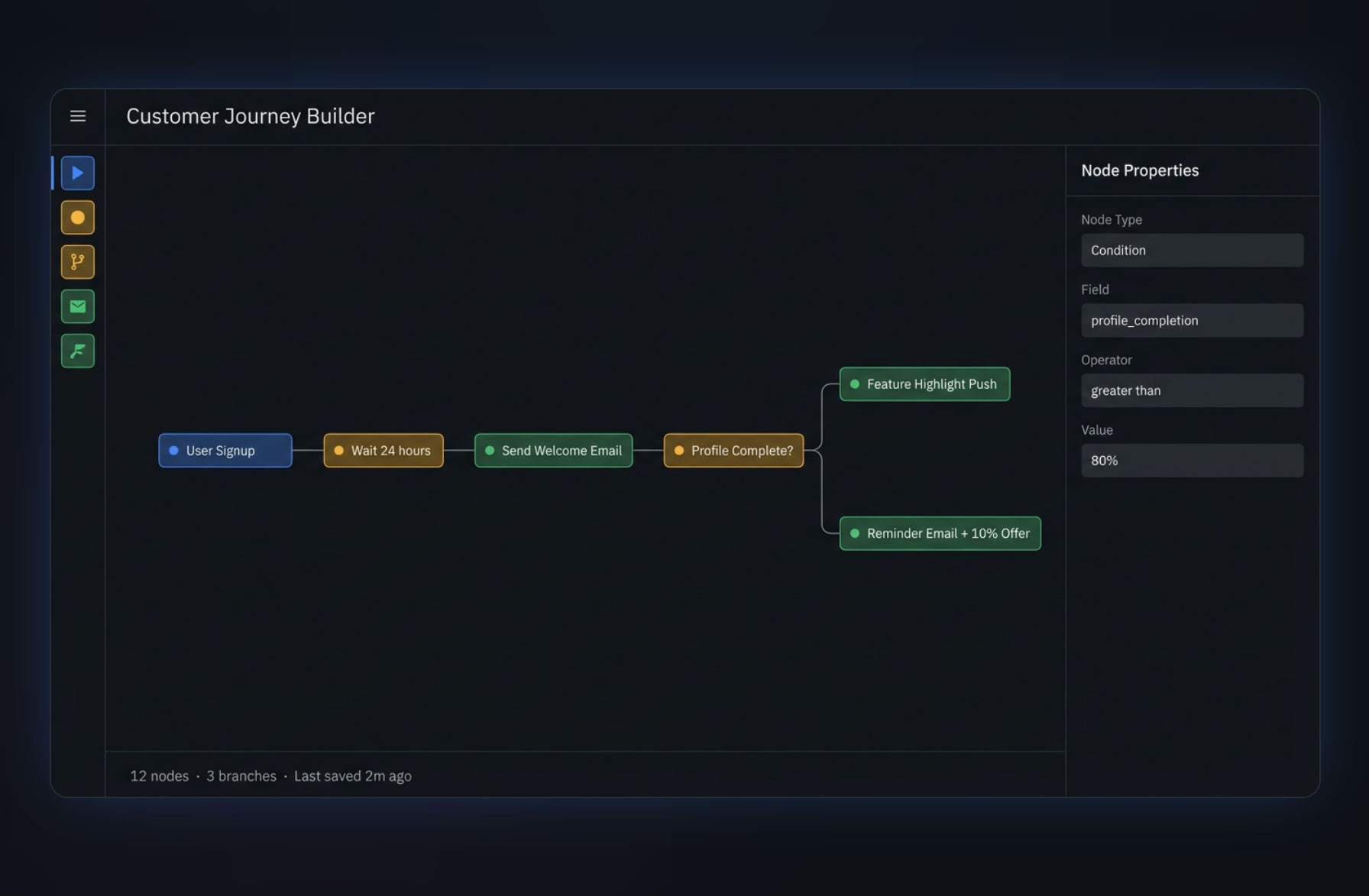
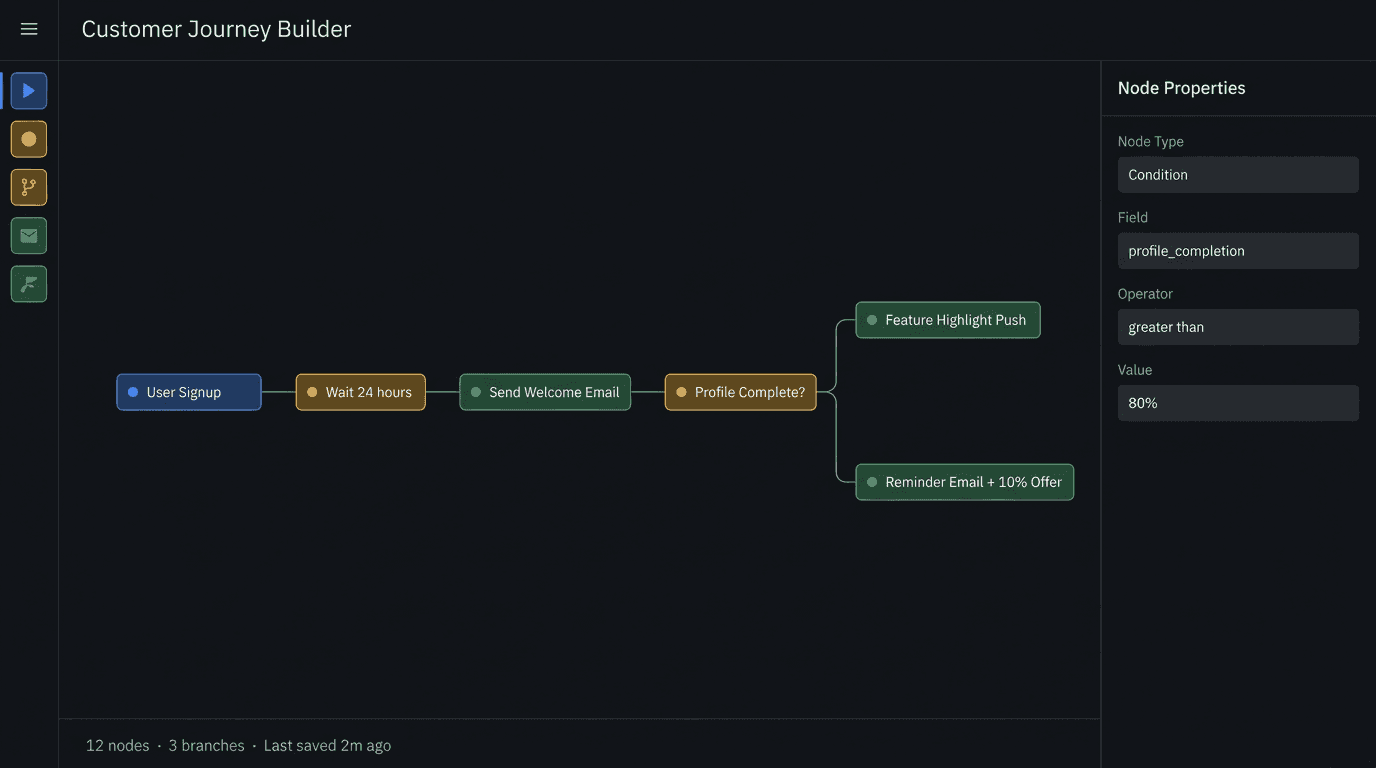
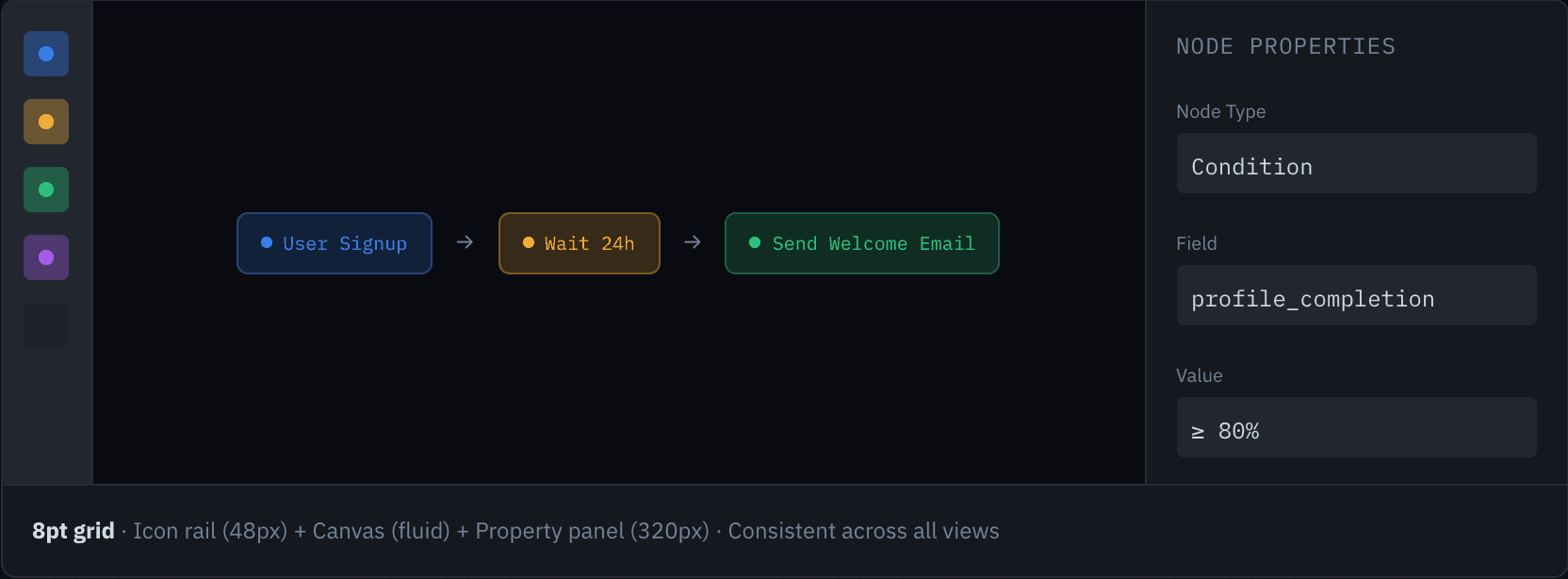
The canvas is the product's core surface. A zoomable, pannable workspace where users compose journeys by connecting nodes. The left icon rail provides node types (drag-to-add), the right panel shows properties for the selected node. The '/' command palette enables keyboard-driven power users to add nodes without leaving the canvas. Innovation: pre-publish simulation runs the entire journey against real user profiles before a single message is sent.
KEY DETAILS
Infinite canvas with snap-to-grid (8px) and auto-layout for clean node arrangement
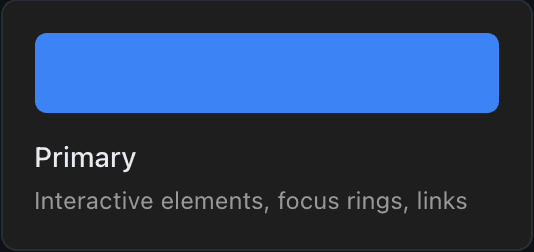
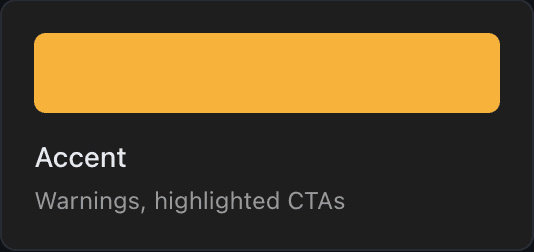
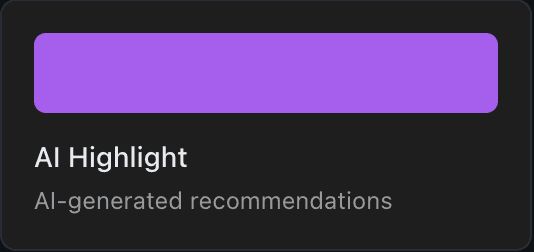
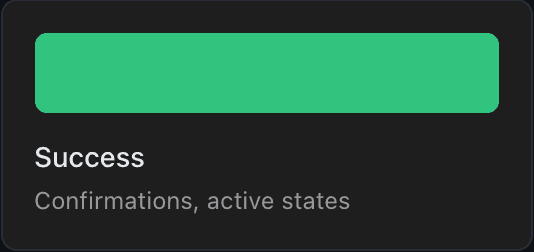
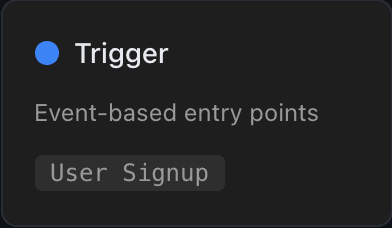
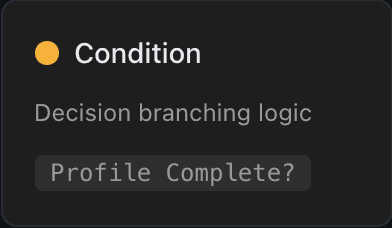
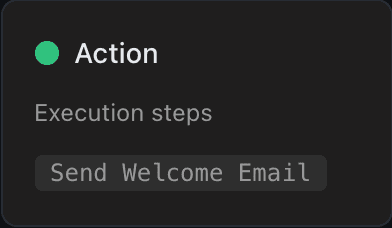
Node types: Trigger (blue), Condition (amber), Action (green), AI Suggestion (purple)
Multi-select, group, collapse, and sub-journey nesting for 150+ node journeys
Pre-publish simulation: 10K Monte Carlo iterations against real profiles with outcome distribution
Undo/redo stack with named checkpoints and version history diff
AI Recommendations Panel
AI suggestions appear in a dedicated right-side panel scoped to the selected node—not inline popups (we tested those; they were disruptive and broke canvas flow). Each recommendation includes a calibrated confidence score, predicted impact with confidence interval, and a visual diff preview. The panel also shows the AI's learning timeline—how suggestions evolved as more data arrived—building trust through transparency.
KEY DETAILS
Calibrated confidence scores: '85%' means 85 of 100 similar suggestions improved the metric
One-click apply with before/after visual diff preview on the canvas
Recommendation categories: Send Time, Content Selection, Audience Refinement, Path Optimization
Structured rejection feedback: 'Wrong timing' / 'Doesn't match brand' / 'Audience too broad'
'Why this?' explainer panel with training data context and comparable journey results
Real-Time Performance Feedback
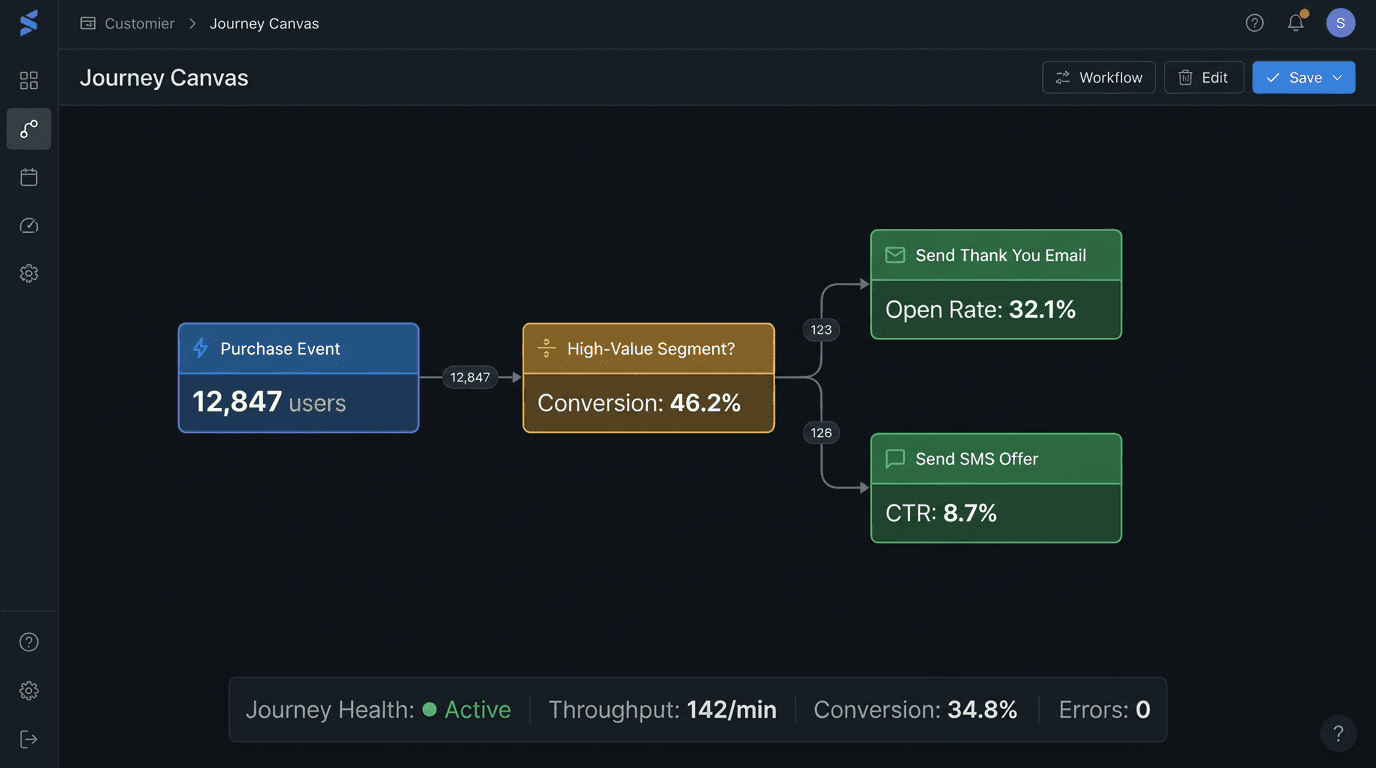
Every node on the canvas shows live metrics: active users at that node, throughput rate, and step-to-step conversion. A bottom bar shows journey-wide health: total throughput, aggregate conversion, error rate. When a node's performance degrades below a configurable threshold, the node border turns amber and a notification surfaces. This transforms the canvas from a static blueprint into a live operations dashboard.
KEY DETAILS
Per-node live counters: '2,847 users active' / 'Conversion to next step: 46.2%' / 'Throughput: 142/min'
Journey health bar: overall conversion rate, channel delivery status, error count
Threshold alerts: configurable per node (e.g., 'Alert if open rate drops below 15%')
Historical overlay toggle: compare current performance against 7/30/90-day baselines
Performance mode: reduced update frequency (5s intervals) for journeys exceeding 100 nodes
Templates & Pattern Library
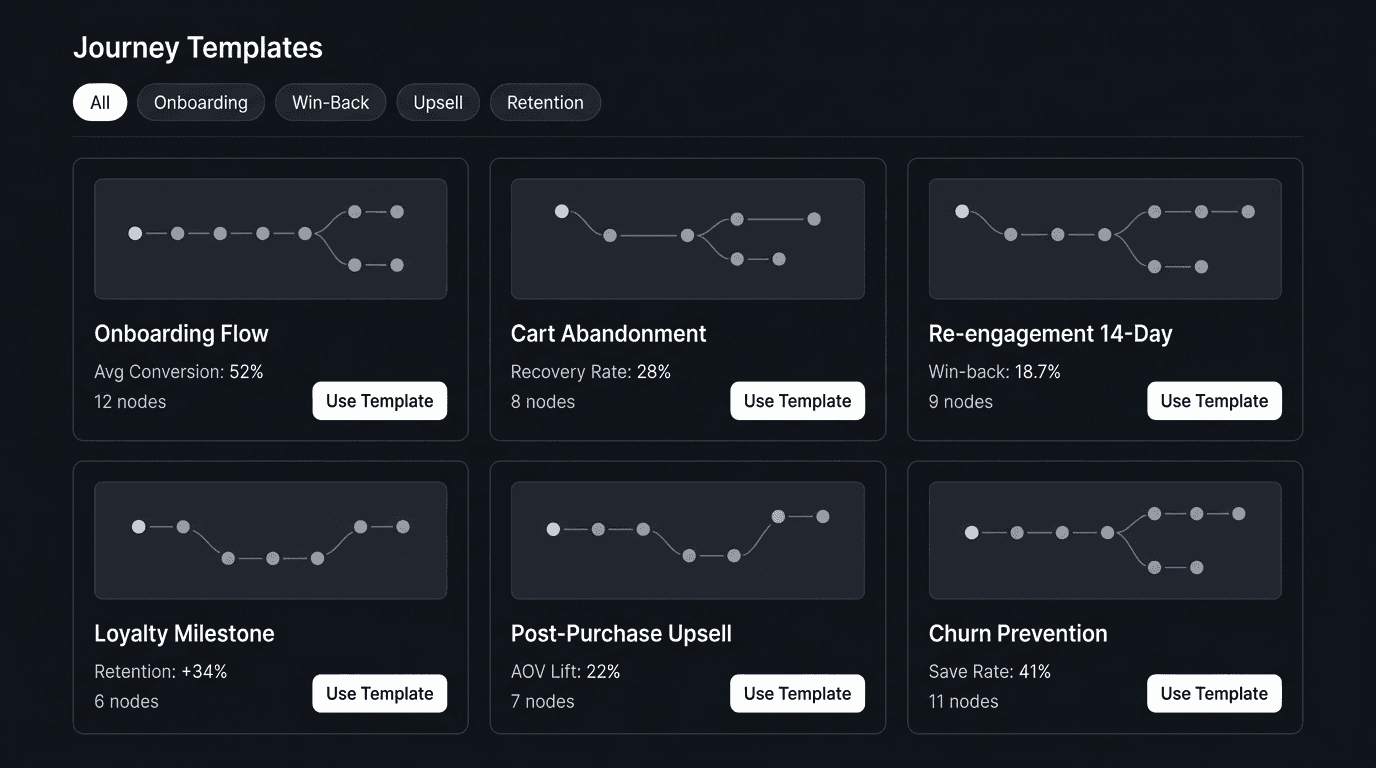
Enterprise teams repeatedly build similar journeys. The template system has two layers: company-curated templates (maintained by team leads with version control) and AI-generated starters (based on industry vertical and historical performance data). Templates aren't just node arrangements—they include pre-configured conditions, recommended channel selections, suggested KPIs, and AI optimization settings.
KEY DETAILS
Template gallery with filtering: use case (onboarding, win-back, upsell), channel, complexity level
One-click deploy with customization wizard: adjust audience, channels, timing before publish
Team-managed template library with version control, changelog, and usage analytics
AI-generated starters: 'Based on your top-performing journeys, here's a recommended starting point'
Template performance dashboard: which templates drive highest conversion by segment
DESIGN SYSTEM
System Foundation
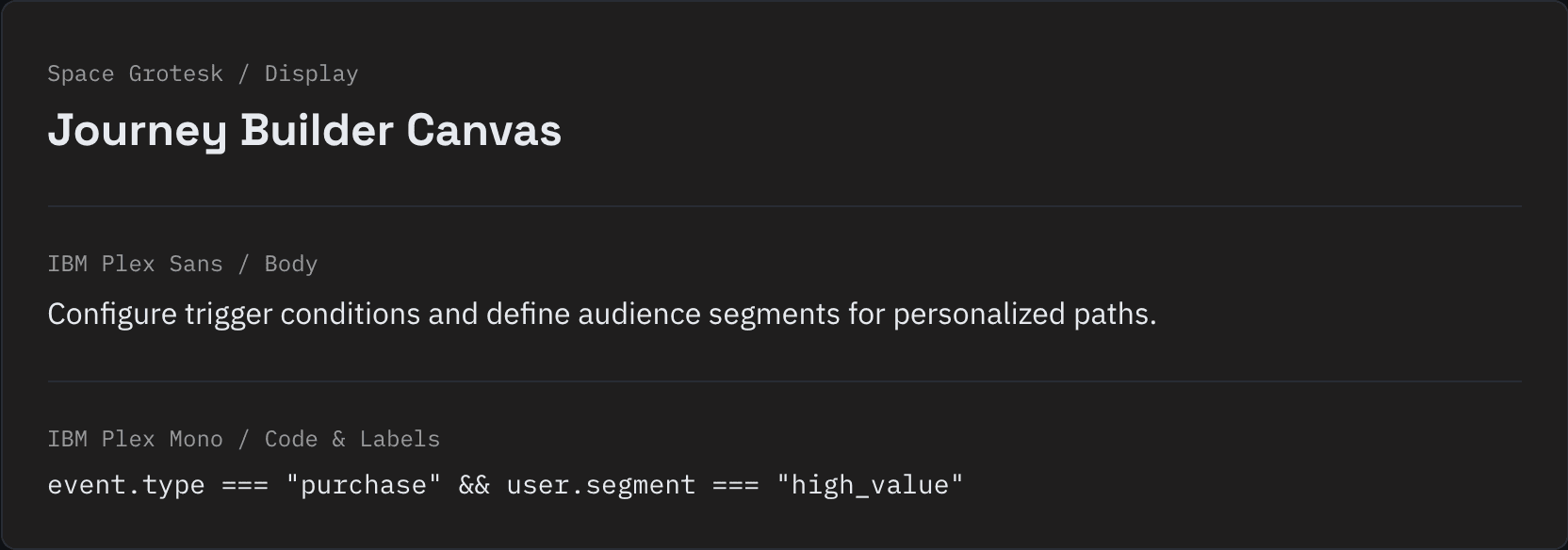
Every screen in this product shares a single source of truth: a dark, high-density design system built for data-heavy enterprise workflows. No decorative flourishes—every token earns its place.
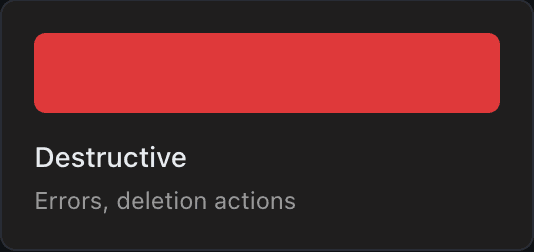
Color Palette

Journey Node Components
Typography
Layout Architecture
USER FLOWS
Key Journey Flows
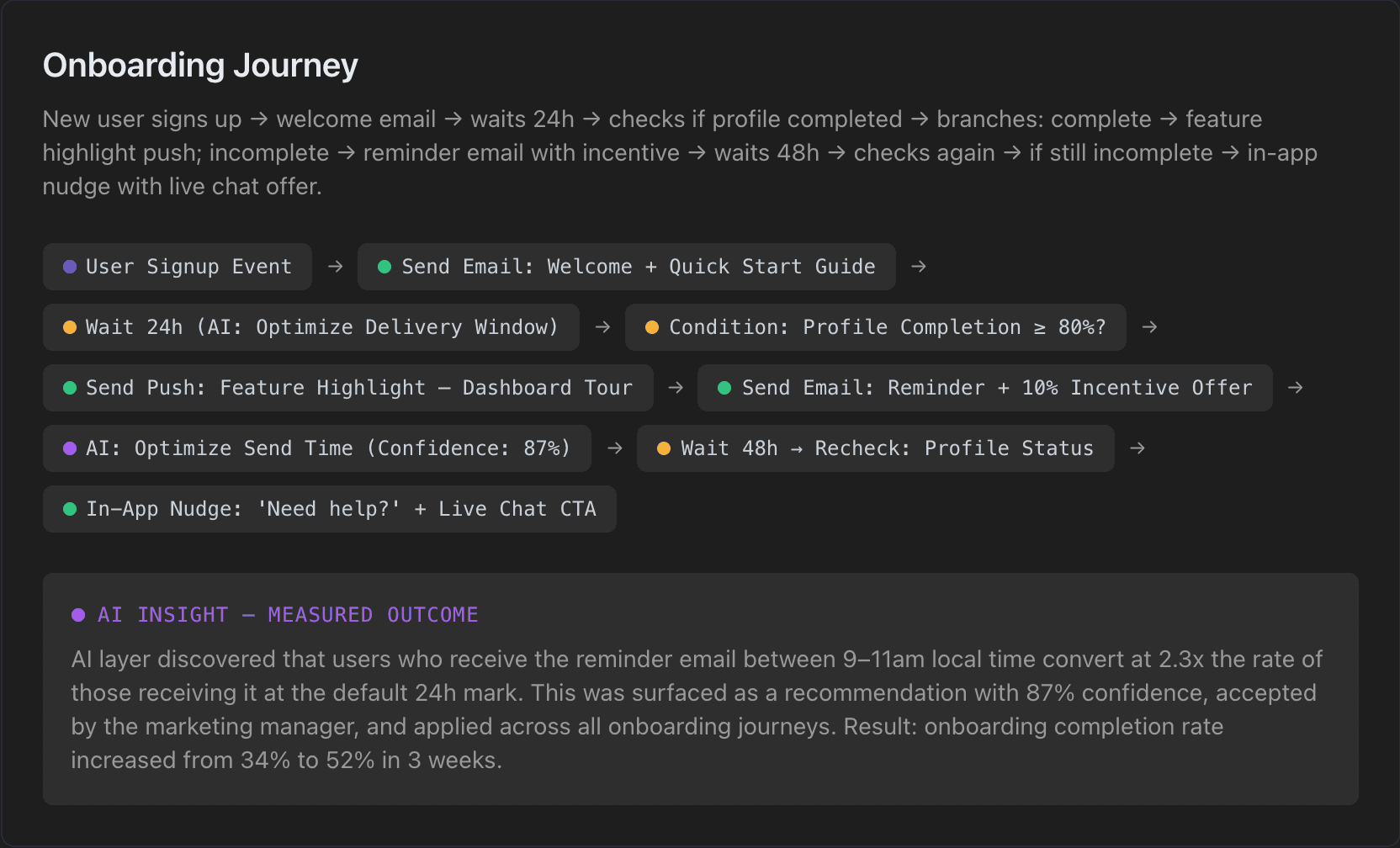
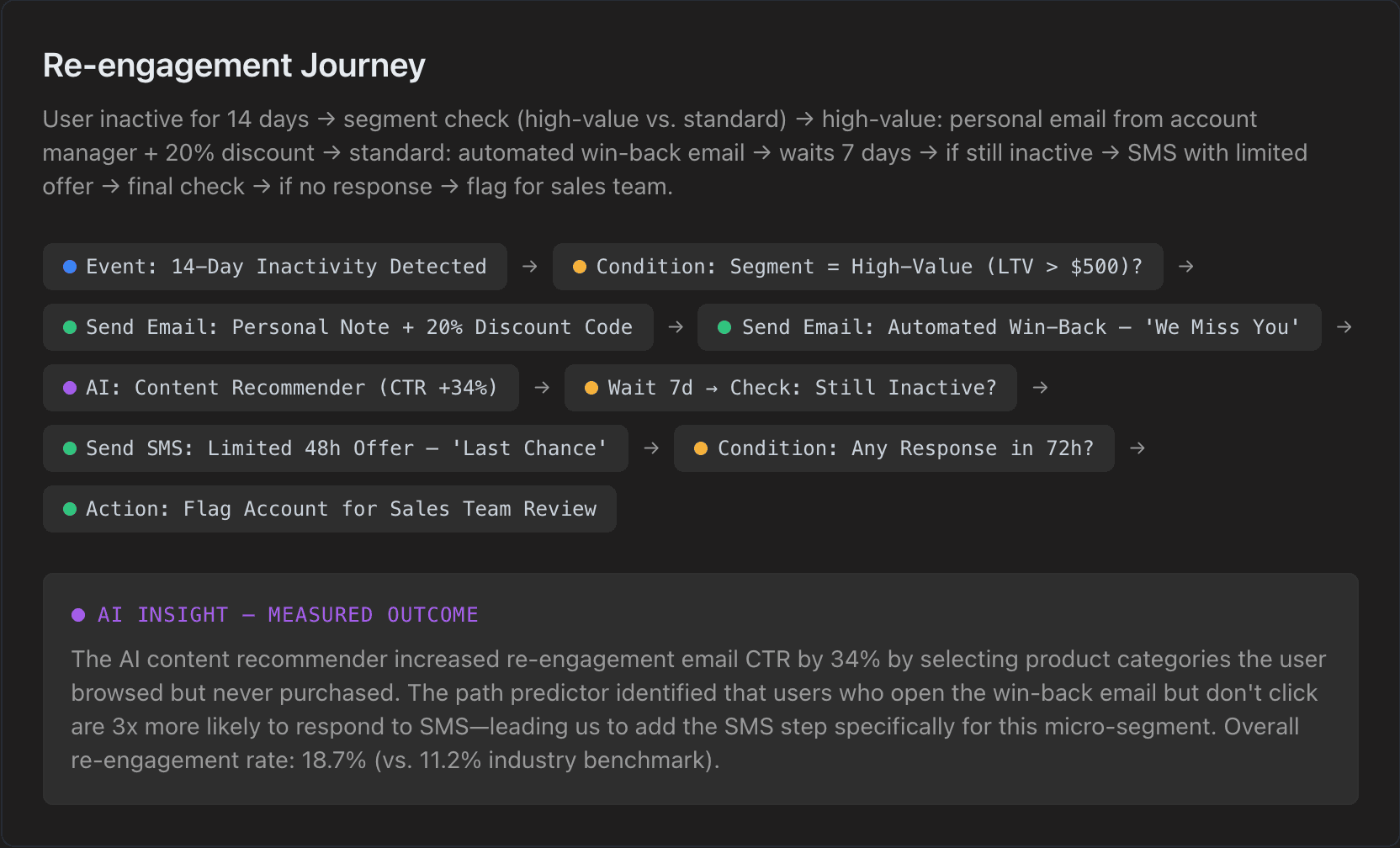
Two representative flows built, tested, and optimized during the enterprise pilot. Node labels reflect real product text—the same language users see on the canvas.
EDGE CASES
Failure Scenarios & Resilience
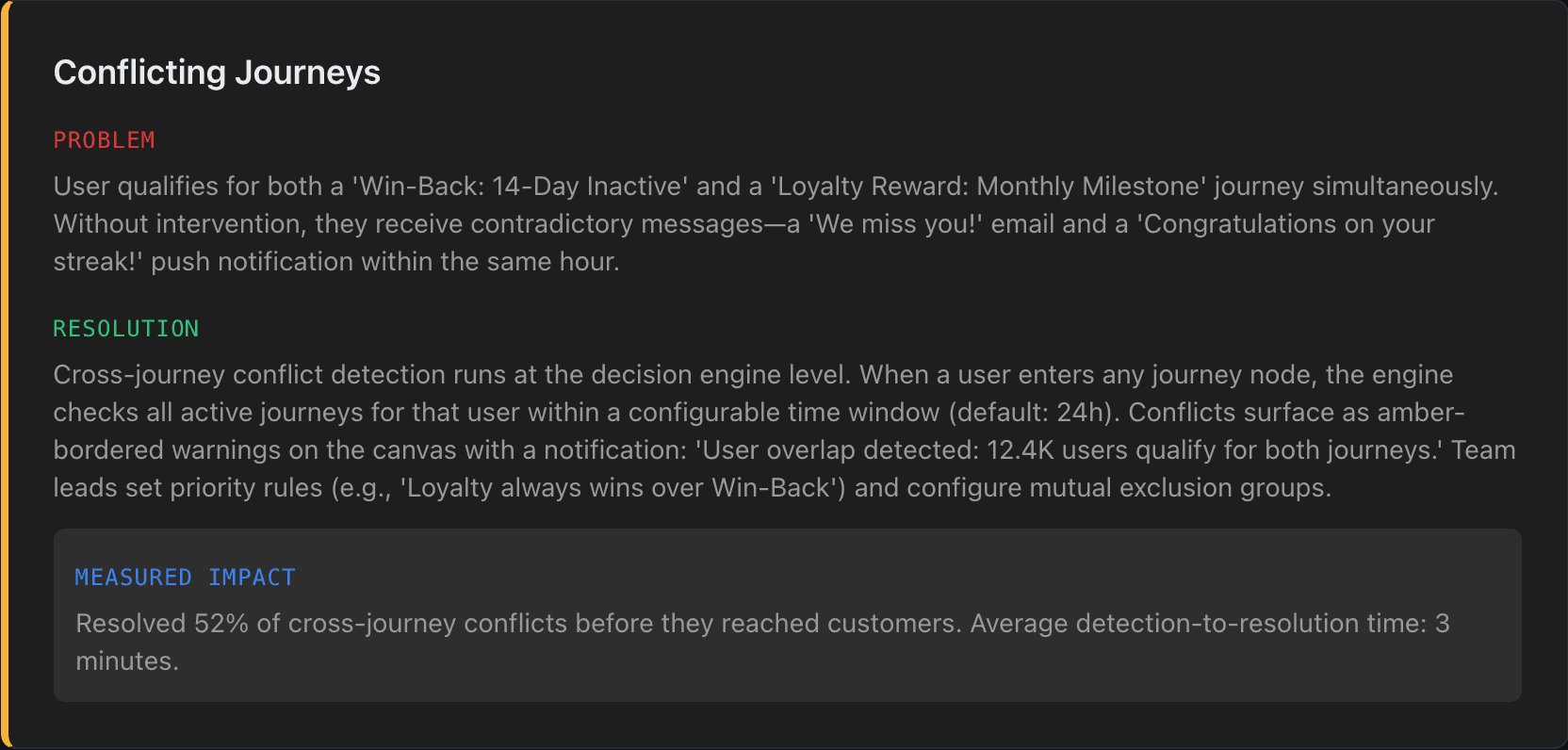
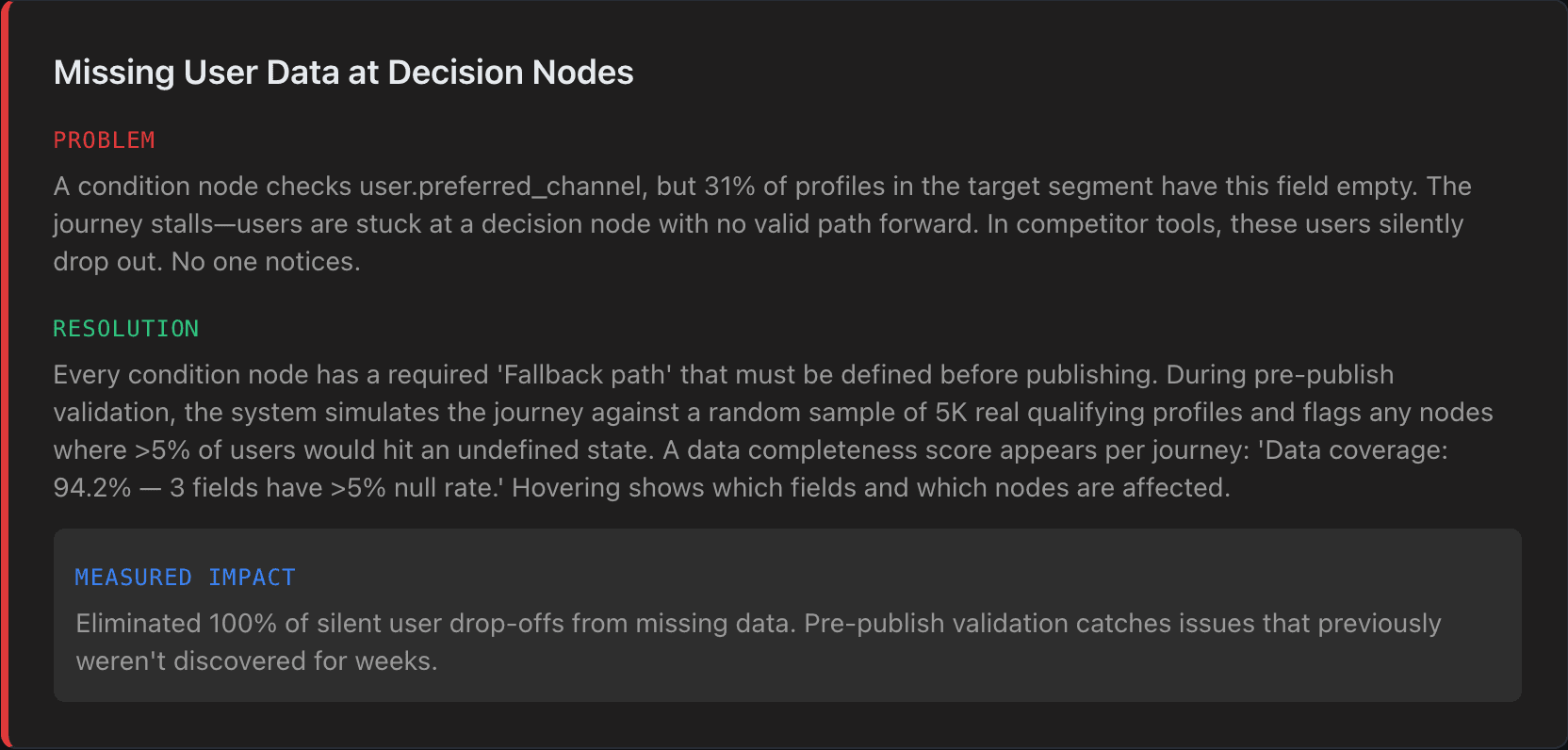
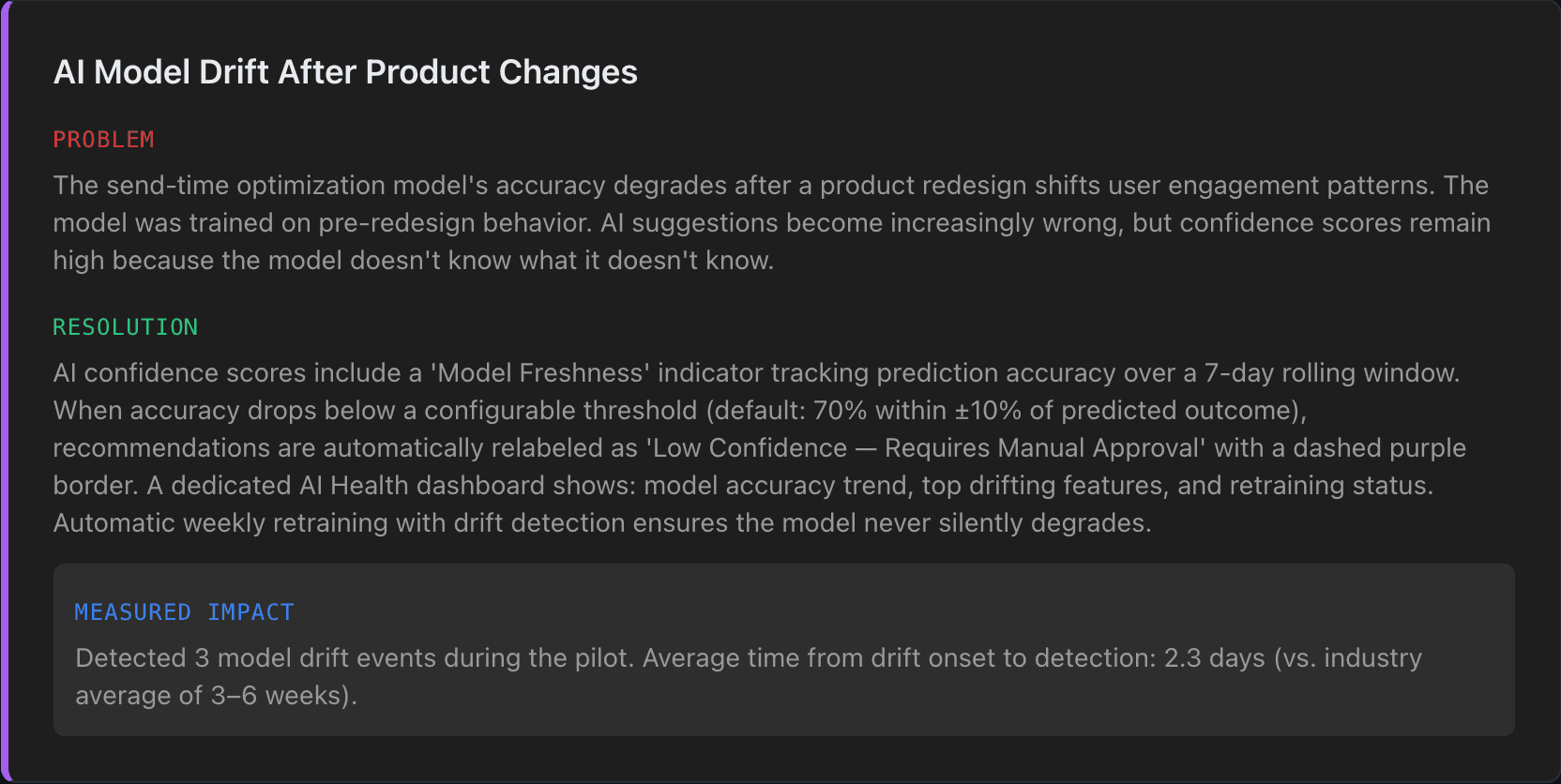
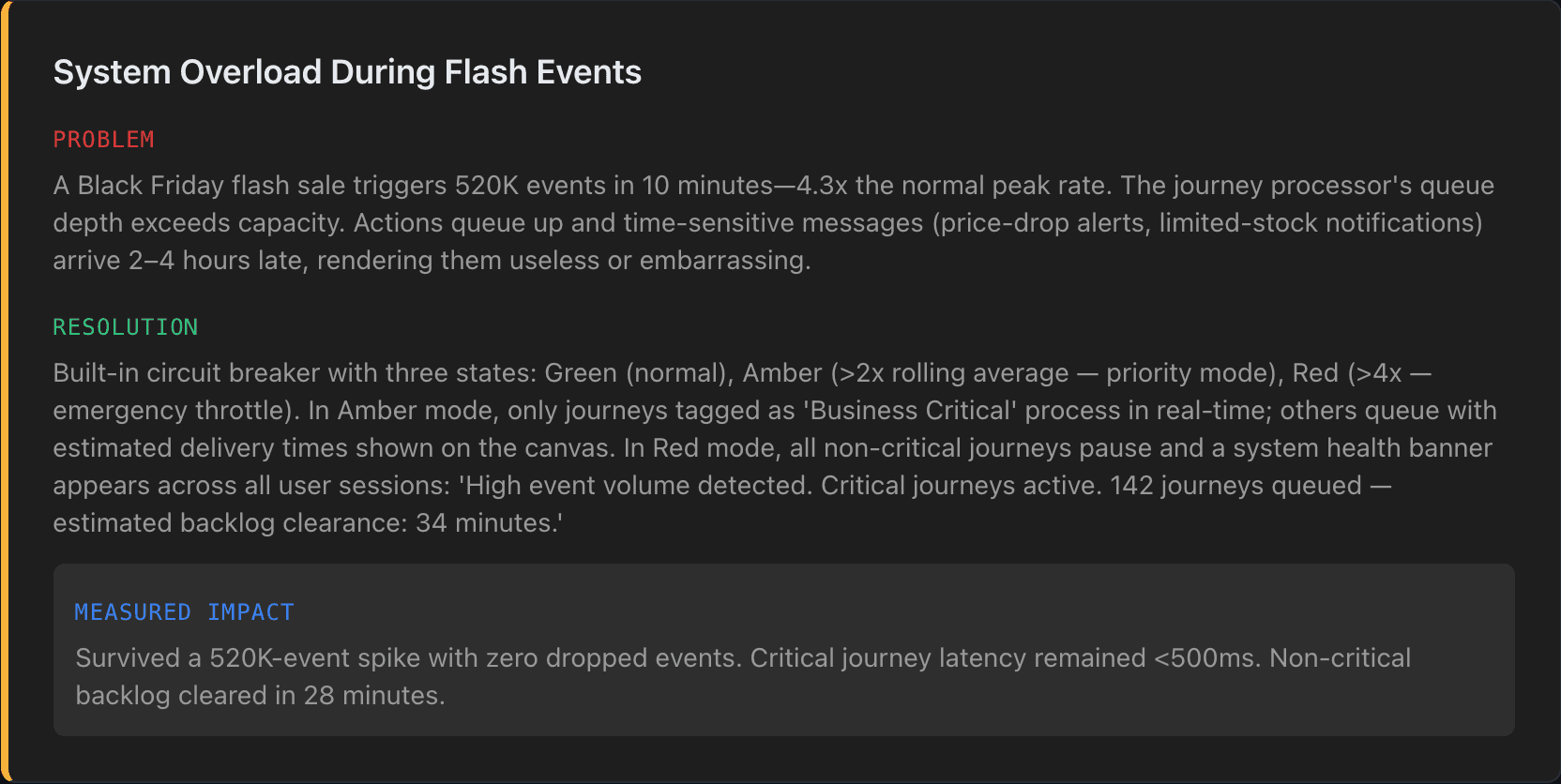
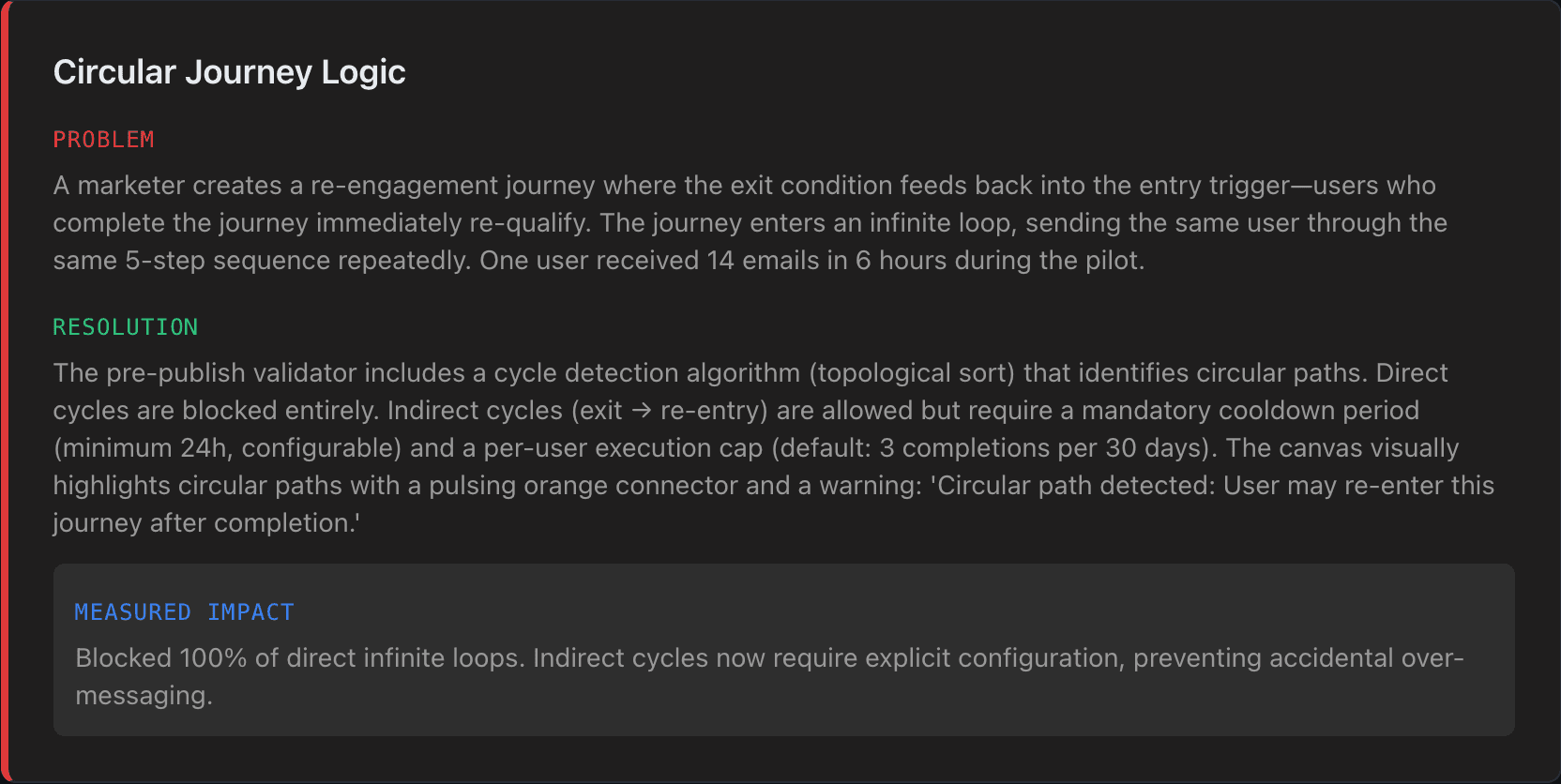
Enterprise products are defined by how they handle failure. These five scenarios came from production incidents during the 12-week pilot and directly shaped critical design and engineering decisions.
IMPACT & METRICS
Measurable Outcomes
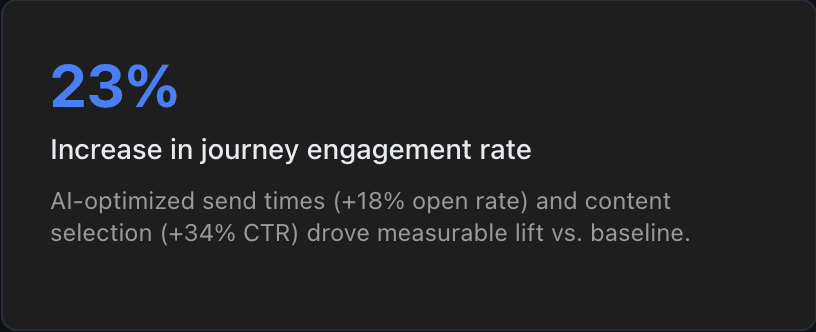
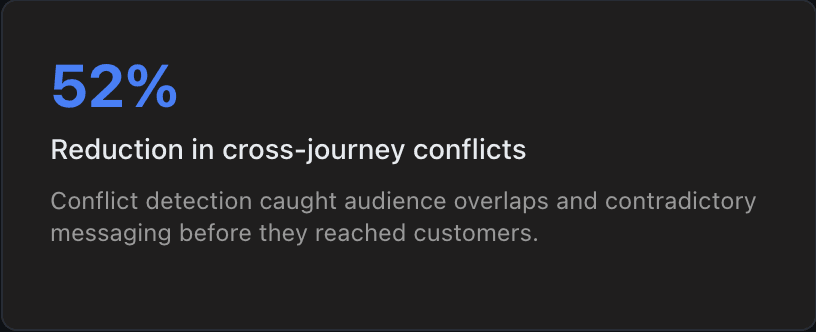
Results from a 12-week pilot across 3 enterprise accounts (combined 45M customer profiles, 127 active journeys). All metrics compared against baseline performance with previous tools (Braze, Salesforce Journey Builder).
REFLECTION
What We'd Change
Start with the template system, not the blank canvas. We launched canvas-first because the team felt it showcased the product's power. But 70% of pilot users started from a template anyway. If we redesigned the onboarding, we'd default to template selection and make the blank canvas an explicit "Start from scratch" option — reducing time-to-first-journey from ~45 minutes to under 10.
Invest more in collaborative editing earlier. We scoped real-time collaboration out of v1 — the engineering team estimated 6 weeks for even a basic implementation. But the pilot revealed that 60% of journeys involve 2–3 people. Teams resorted to screen sharing and verbal coordination. In retrospect, I should have pushed harder for a minimal multiplayer MVP (presence indicators + node locking, not full CRDT).
AI explainability needs a dedicated surface. Working with the ML engineer, we crammed AI explanations into tooltips and expandable sections. They needed a dedicated "Why this recommendation?" view with historical context and model confidence breakdown. The 89% acceptance rate is strong, but the 11% who rejected often said "I don't understand why it suggested this" — not "I disagree." That's a design failure.
What I Learned
Enterprise product design is 60% system design, 30% interaction design, 10% visual design. The best design decisions I made were invisible to users — they were architectural choices that prevented entire categories of errors.
AI features need trust infrastructure more than accuracy. Users tolerate 80% accuracy with full transparency better than 95% accuracy as a black box. We proved this empirically: 89% acceptance with calibrated confidence vs. 34% adoption of competitors' opaque auto-optimization.
Pre-publish simulation was our highest-impact feature. It transformed 'publish and pray' into 'simulate, review, publish with confidence.' This only happened because I spent time with the data engineering team understanding what was technically feasible before proposing the interaction model.
Embedding with engineering for the first 3 weeks — before designing anything — was the highest-leverage activity of the project. It changed my understanding of what was possible, what was expensive, and what was architecturally elegant vs. hacky. I'd do this on every project now.